Improvements
- Nested Folder Hierarchy
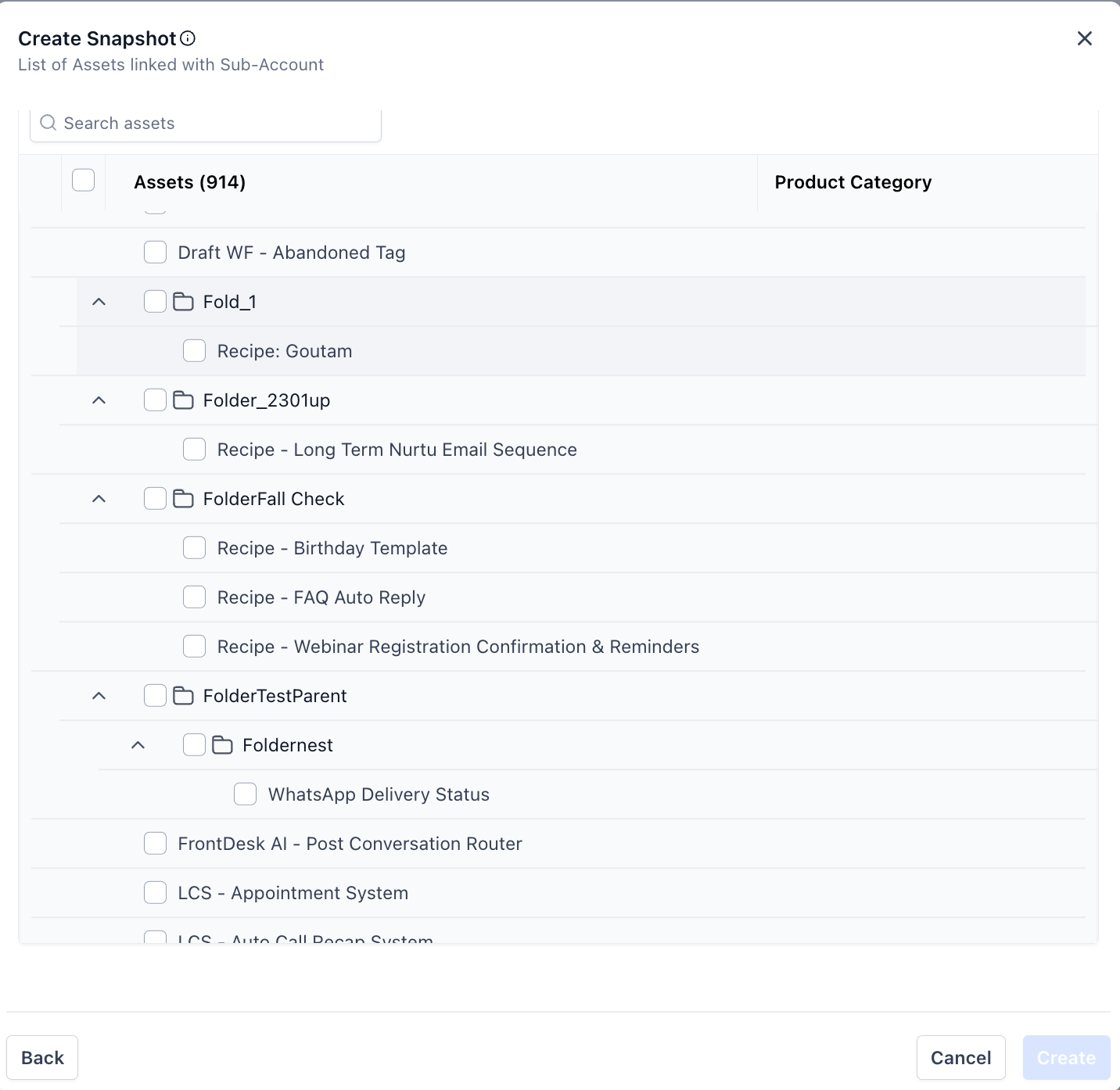
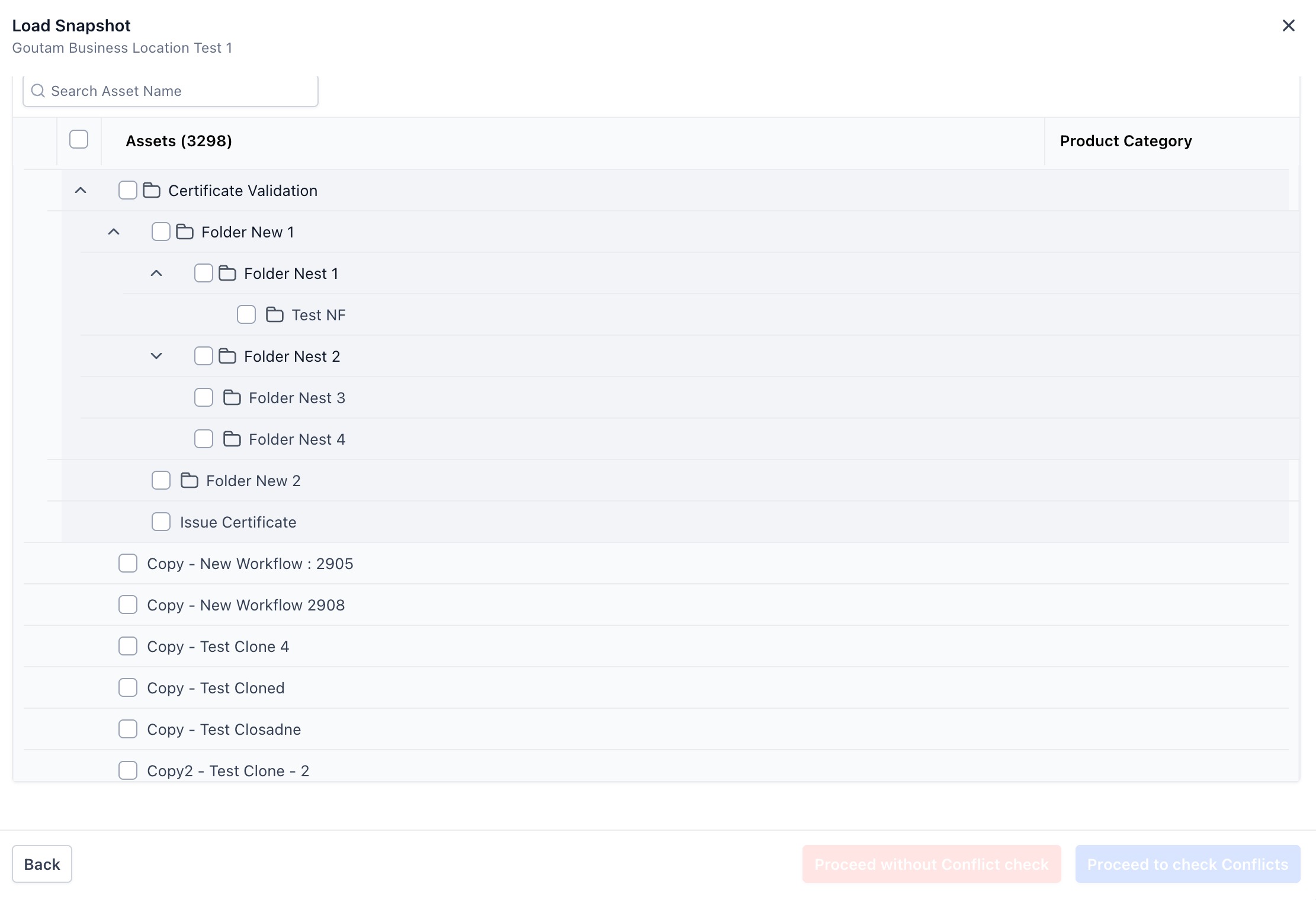
Folders now appear as expandable accordions, clearly showing contained assets.
- Multi-Level Folder Support
Users can navigate and expand deeply nested folder structures layer by layer.
- Smart Folder Selection
Selecting a folder now automatically includes all assets and sub-folders within it.
- Unified Asset View
Assets are grouped under their respective parent folders instead of appearing in a flat list.
Benefits
- Improved Clarity
- Easily understand which assets belong to which folder without manual tracking.
- Reduced Errors
- Prevents missing dependencies by ensuring all nested assets are selected together.
- Faster Workflows
- Bulk-select entire folders in a single click instead of selecting assets individually.
- Cleaner UI
- A more intuitive interface that mirrors real folder structures.
Where This Applies
- Create Snapshot
- Refresh Snapshot
- Load Snapshot
How to Access
Go to the Asset Selector in any Snapshot workflow to experience the new nested layout.
Was this article helpful?
That’s Great!
Thank you for your feedback
Sorry! We couldn't be helpful
Thank you for your feedback
Feedback sent
We appreciate your effort and will try to fix the article